Can NotebookLM Transcribe Audio? The 200 MB Limit and Long Recordings
NotebookLM (now Gemini Notebook) transcribes audio you add as a source, up to 200 MB per file. What fits, what fails, and the fix for long recordings.
By Serhii MaysonPublished 7 min read
Yes. NotebookLM, renamed Gemini Notebook in July 2026, transcribes an audio file when you add it as a source, but it keeps the text for its own answers and caps each upload at 200 MB. For a long recording, transcribe it first and add the TXT as the source.
That 200 MB holds about 3.5 hours of MP3 at 128 kbps, but only about 13 minutes of video at 2 Mbps (the arithmetic is below). If your lecture or meeting recording is bigger, TranscribTxt transcribes the first 30 minutes free while you have a free file left. The whole transcript of one recording up to 3 hours is $2, paid once.
Too big for NotebookLM? Get the text here first
How NotebookLM (Gemini Notebook) turns audio into a source
On July 16, 2026, Google announced that NotebookLM is now Gemini Notebook, "the same standalone product". The help pages now use the new name. Google's help page on adding sources (checked November 3, 2026) says: "The audio file is transcribed at the time of import and its text is saved to use as a new source." From then on, NotebookLM works from that text, as it does with a PDF.
What the page lists for audio:
- File types: 3g2, 3gp, aac, aif, aifc, aiff, amr, au, avi, cda, m4a, mid, mp3, mp4, mpeg, ogg, opus, ra, ram, snd, wav and wma. MP4 and AVI are on the list, so a video file can go in for its sound. MOV (iPhone video), WebM, MKV and FLAC aren't.
- What fails: "Audios with no speech aren't supported," and "Imports may fail if the audio is low quality."
- Languages: a list of languages supported for audio import. English, Spanish, French, German and Portuguese are on it.
The two limits: 200 MB per upload, 500,000 words per source
"Each source can contain up to 500,000 words or up to 200MB for uploaded files," the same page says. For a recording, the 200 MB runs out long before the words do:
- At 150 words a minute, 500,000 words is about 55 hours of speech.
- A 2-hour talk is about 18,000 words, or 3.6% of the word cap.
- The same talk as a video at 2 Mbps is about 1.8 GB, nine times the size cap.
So a file's size, not its length, decides whether NotebookLM takes it. We found no limit in minutes on Google's page.
Paid plans add notebooks and sources; Google lists no bigger file size. Google's plans page shows how much room each plan gives (Google notes the limits are subject to change): 100 notebooks with 50 sources each on Standard, the plan behind Google's 50-source figure for free users, 200 notebooks with 100 sources on Plus, 500 notebooks with 300 sources on Pro, and 500 or 600 sources per notebook on Ultra. Neither page lists a bigger file size for any plan.
How big is a 1–3 hour recording?
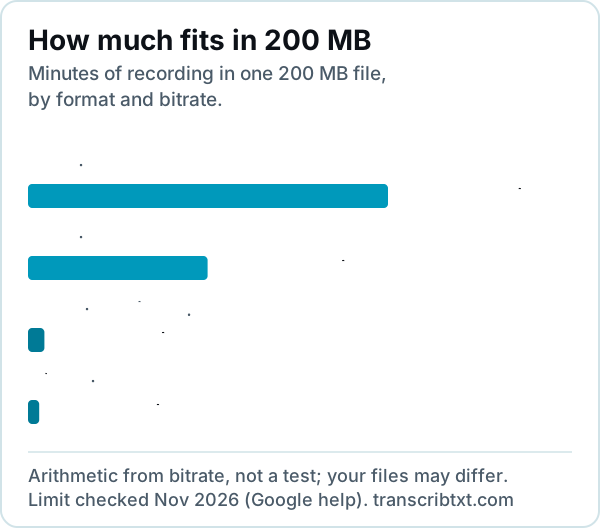
A file's size is its bitrate times its length. Here is what that gives for common recordings:
| Recording | 1 hour | 2 hours | 3 hours | Fits in 200 MB |
|---|---|---|---|---|
| WAV, 16-bit stereo, 44.1 kHz (CD quality) | 635 MB | 1.27 GB | 1.91 GB | About 19 min |
| MP3, 128 kbps | 58 MB | 115 MB | 173 MB | About 3.5 h |
| MP3, 64 kbps | 29 MB | 58 MB | 86 MB | About 7 h |
| Video, 2 Mbps for picture and sound | 900 MB | 1.8 GB | 2.7 GB | About 13 min |
This is arithmetic from bitrate, not a test, with 1 MB counted as 1,000,000 bytes. Variable bitrates, mono audio and your phone's or app's video settings all change real sizes, so check what your computer shows.
What it means in practice:
- An MP3 lecture or interview of 1–3 hours at 128 kbps fits. NotebookLM can transcribe it when you add it.
- A WAV from a recorder doesn't, and neither does an hour of video at 2 Mbps.
- You can shrink a file to fit. Saved as an MP3 at 64 kbps, about 7 hours fit. That's enough if you only want NotebookLM's answers, but you still won't have a transcript file to check quotes against.
Transcribe first, then add the text to NotebookLM
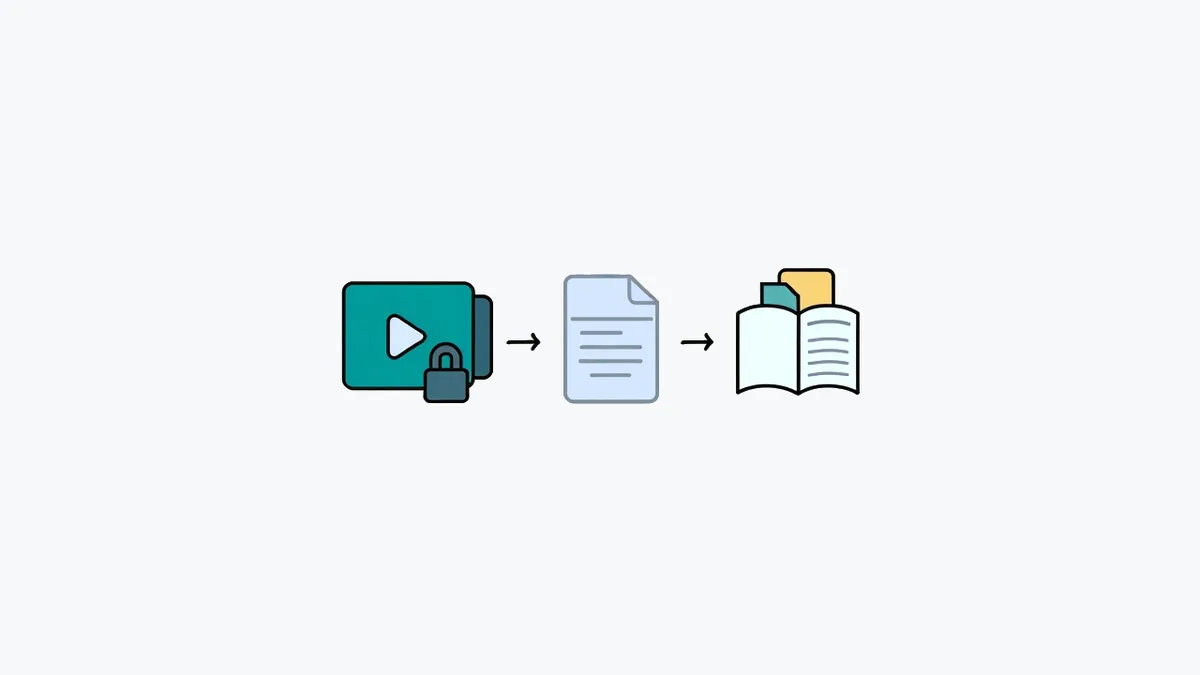
For a recording over 200 MB, follow these steps. They're also how you import a transcript into NotebookLM:
- Transcribe the recording. Upload it in the box above or on our long audio transcription page. Files can be up to 2 GB. In October 2026, half of the uploaded files were transcribed in 14 seconds or less, and a 145-minute recording took 2 minutes 45 seconds. Times don't include uploading, which depends on your connection.
- Download the TXT. TXT, SRT and VTT downloads are on every plan, and TXT is the one NotebookLM takes. Check the first few minutes against the audio and fix any names.
- Name it by date and topic, such as
2026-11-04 econ-101 lecture-07.txt, so you can tell the sources apart at a glance. - Keep one file per recording. Don't merge a semester into one file: separate sources let you remove one lecture without touching the rest.
- Add the TXT as a source. Google lists Text (txt) among the file types NotebookLM takes, and an 18,000-word transcript is under 1 MB.
- Keep your copy. When NotebookLM quotes the lecture, check the quote against your TXT.
What it costs on TranscribTxt: the first 30 minutes of a recording are free while you have a free file left. The whole transcript of one recording up to 3 hours is $2, paid once. For a week of lectures or interviews, the $5 Week Pass covers up to 25 hours of audio in 7 days and never renews.
If a video is bigger than 2 GB, save its sound as an MP3 first: 3 hours at 128 kbps is about 173 MB. For recording tips and what a whole semester costs, see our guide to transcribing a 2-hour lecture.
Can you get the transcript out?
Google's help pages don't describe a way to download an audio source's text (checked November 3, 2026). They say the text "is saved to use as a new source", and that the Source Guide gives "an auto-generated summary of the entire source". They mention no TXT export, no SRT or VTT, and no timestamps. Google's help describes no copy or export function for it: no file, no TXT and no timestamps.
Either way, you don't get a file with timestamps. That matters when you need to:
- quote someone word for word and find that moment in the recording;
- make captions for the video;
- keep the words after the notebook is deleted or no longer shared with you.
For those jobs, you need a transcript file of your own. Our guide to TXT vs SRT vs VTT explains which file fits which job.
Audio Overviews are a different thing
An Audio Overview goes the other way, from your sources to sound. Google's help page (checked November 3, 2026) calls them "deep-dive discussions between AI hosts that provide in-depth summaries of the key topics in your uploaded sources". They come as Deep Dive, Brief, Critique or Debate, and you can download the audio. Google warns that they "are AI-generated and may contain inaccuracies or audio glitches."
So an Audio Overview of your lecture is a new conversation about it, written by AI. It isn't a transcript of what your lecturer said. If you're after a "NotebookLM audio transcript", decide which words you need: your recording's, or the AI hosts'.
NotebookLM or a transcription tool: which job is which
| Job | Use |
|---|---|
| Ask questions across lectures, papers and notes | NotebookLM |
| Study guides, quizzes and Audio Overviews | NotebookLM |
| The full text of a recording, as a file you keep | A transcription tool |
| Captions with times for a video | A transcription tool that exports SRT or VTT |
| Getting a recording over 200 MB into NotebookLM | Transcribe it, then add the TXT |
The two work well together: a transcription tool turns each recording into a small text file, and NotebookLM works across many of them. Comparing other assistants? See can ChatGPT transcribe audio, which also covers Gemini's chat uploads, and can Microsoft Word transcribe audio, where Word's Transcribe counts uploaded minutes each month.
Google's facts come from the pages linked above, checked on November 3, 2026; Google changes them from time to time. We are TranscribTxt (RESTART AI LLC) and aren't affiliated with Google. Google, NotebookLM and Gemini are trademarks of Google LLC. Found an error? Write to support@transcribtxt.com and we'll check and fix it.
Transcribe your own long recording with TranscribTxt.
Try TranscribTxt free
Free for files up to 30 min: your first one needs no account, a free account gets 3 a week. 99 languages.
First 30 min free · the whole file (up to 3 h) US$2
Try it freeFrequently Asked Questions
Can NotebookLM transcribe audio?
Yes. NotebookLM, renamed Gemini Notebook in July 2026, transcribes an audio file when you add it as a source and saves the text for its answers. Google's help page (checked November 3, 2026) lists a cap of 200 MB per uploaded file and 500,000 words per source. It doesn't describe a way to download the transcript, so if you want a file to keep, transcribe the recording first and add the TXT as a source.
What audio files can I upload to NotebookLM?
As of November 3, 2026, Google lists 3g2, 3gp, aac, aif, aifc, aiff, amr, au, avi, cda, m4a, mid, mp3, mp4, mpeg, ogg, opus, ra, ram, snd, wav and wma. MOV, WebM, MKV and FLAC aren't on the list, so convert those first. Recordings with no speech aren't supported, and Google says an import may fail if the audio is low quality.
How long can an audio file be in NotebookLM?
Google's help page gives no limit in minutes, only 200 MB per uploaded file. Worked out from bitrate, that's about 3.5 hours of MP3 at 128 kbps, about 7 hours at 64 kbps, about 19 minutes of CD-quality WAV and about 13 minutes of video at 2 Mbps. The 500,000-word cap per source is roughly 55 hours of speech, so you reach the size cap first.
Can I download the transcript from NotebookLM?
Google's help pages don't describe a way to download it (checked November 3, 2026). They say the audio's text is saved to use as a source and that the Source Guide shows a summary of it. They list no TXT, SRT or VTT export and no timestamps. If you need the words as a file, use a transcription tool. TranscribTxt gives TXT, SRT and VTT downloads on every plan.
How do I add a long lecture or meeting recording to NotebookLM?
Transcribe it first, then add the TXT as a source: the transcript of a 2-hour talk is about 18,000 words and under 1 MB. On TranscribTxt, the first 30 minutes are transcribed free while you have a free file left, and the whole transcript of one recording up to 3 hours is $2, paid once. For several recordings, the $5 Week Pass covers up to 25 hours of audio in 7 days.